# J-Wash
**Reshape a model's identity and behavior by editing token directions, then bake
those edits into a real checkpoint you can run anywhere. No training, no dataset,
no fine-tuning.**
J-Wash is a local studio (FastAPI + React) for exploring and editing the *J-space*
of any Hugging Face decoder LLM. You chat with a model while a live **Jacobian lens**
shows what each layer is "reading," pin and inspect concepts, then **wash** the
model's identity or behavior with a few token-level rules — turn *"I am a large
language model"* into *"I am a large language fish"* — and **export the result as a
standalone model** (full checkpoint, modified layers, or LoRA): standard
safetensors weights that load anywhere `transformers` models do.
The editing preview runs live in the chat, and the exported checkpoint reproduces
it faithfully — the whole point of the project is that **what you see is what you
ship**.
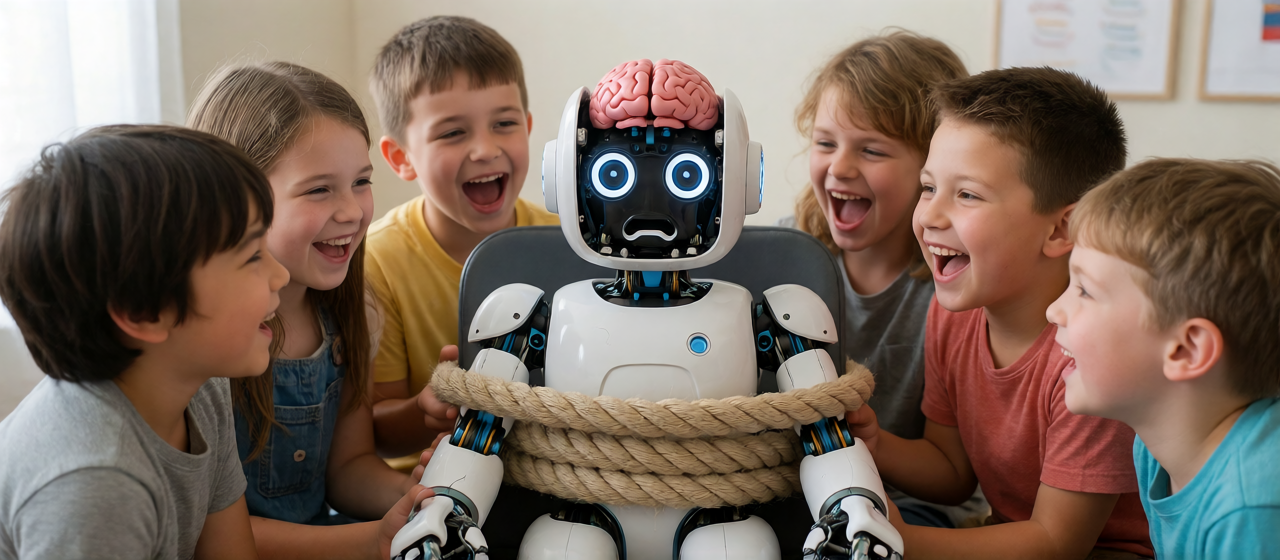
Introducing non-expert friendly alignment!
[Nikusui-v1](https://huggingface.co/extraltodeus/Qwen3.5-9B-Nikusui-v1) has been created as a proof of concept (and you should not run this model because naughty) (but you do you boo!).
---
## What it's built on
J-Wash is built on **Anthropic's Jacobian lens** (the
[`jlens`](https://github.com/anthropics/jacobian-lens) library), a method that reads
each layer's contribution to the residual stream through the model's own
un-embedding. On top of it, J-Wash adds:
- an interactive **chat UI** with the lens rendered live (heatmaps, token clouds,
per-layer rank curves);
- a **token editor** that turns lens directions into persistent, composable edits;
- and — the core feature — an **export pipeline** that bakes those edits into a
pure-weights checkpoint (`full` / `layers` / `lora`), so the edited model runs
with no J-Wash code in the loop.
Pre-fitted lenses come from [Neuronpedia](https://huggingface.co/neuronpedia/jacobian-lens);
you can also fit your own locally.
## Installation
Requirements:
- NVIDIA GPU (CUDA)
- Python 3.11+
- Node.js 18+
```bash
git clone https://github.com/extraltodeus/j-wash.git
cd j-wash
pip install torch --index-url https://download.pytorch.org/whl/cu124
git clone https://github.com/anthropics/jacobian-lens vendor/jacobian-lens
pip install -e vendor/jacobian-lens
pip install -r requirements.txt
cd ui && npm install && npm run build && cd ..
python -X utf8 run.py
```
Then open **http://localhost:8381**.
## Running
```bash
python -X utf8 run.py
```
Then open **http://localhost:8381**. (`-X utf8` matters on Windows.)
By default, models download into your **shared Hugging Face cache**
(`~/.cache/huggingface`, or `$HF_HOME` if set) — the same cache other HF tools use.
To keep everything **isolated in a project-local cache** instead, pass a path:
```bash
python -X utf8 run.py --hf-cache ./hf_cache
```
Several instances can run side by side: give each its own `--port` (default
8381) and `--data-dir` (default `./data` — history, presets, edits). The CLI
targets a non-default instance with `scripts/jlab.py --base http://127.0.0.1:`.
The React front-end is served by the backend from `ui/dist`; after changing any UI
source, rebuild with `cd ui && npm run build` and hard-refresh the page. For UI
development with hot-reload, run `npm run dev` in `ui/` (port 5173, proxied to 8381).
## Usage
The sidebar is organized into tabs: **Chat**, **Model**, **Lens**, **Fit**, and
**Options** (defaults, paths, ignored tokens).
### 1. Load a model
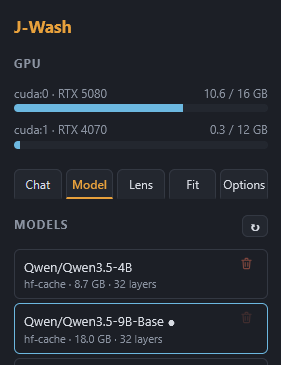
In **Model**, pick a cached / local model or type an `org/repo` in **Download**
(e.g. `Qwen/Qwen3-4B`) and hit ↓. Choose dtype / quant / device, then **Load**.
Local folders (a directory with `config.json` + safetensors) and the HF cache are
listed automatically; **Browse** adds any model folder on disk to the list
(nothing is copied — the blue button forgets the entry, the red trash deletes
actual files). fp32 models are auto-converted to bf16 to halve disk usage.
### 2. Load a Jacobian lens
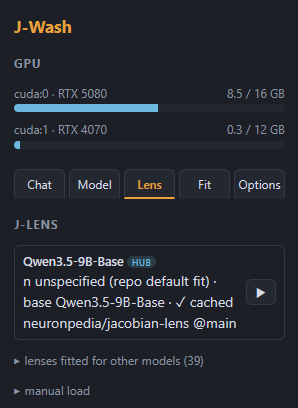
In **Lens**, J-Wash lists compatible lenses for the loaded model — local ones you
fitted plus matching lenses on the Neuronpedia Hub. For a **finetune**, the lens
of its *base model* is offered too (read from the model card, or guessed from the
name); every other Hub lens stays reachable in a collapsed section for
architecture-compatible cross-loading. Click to load (downloading if needed) —
you can even pick a lens **while the model is still loading**, it chain-loads
when ready. No lens? Fit one in the **Fit** tab (see below). Manual loading by
repo / file / local path is available at the bottom of the tab.
### 3. Chat with the live lens
Chat as usual. Below the conversation, the lens view shows, for the prompt and each
generated token:
- **Frequencies** (default): tokens the layers "read," aggregated by how often they
appear — size ∝ frequency. Click a token to **pin** it (rank curves + a rank
heatmap per layer); right-click to hide noise.
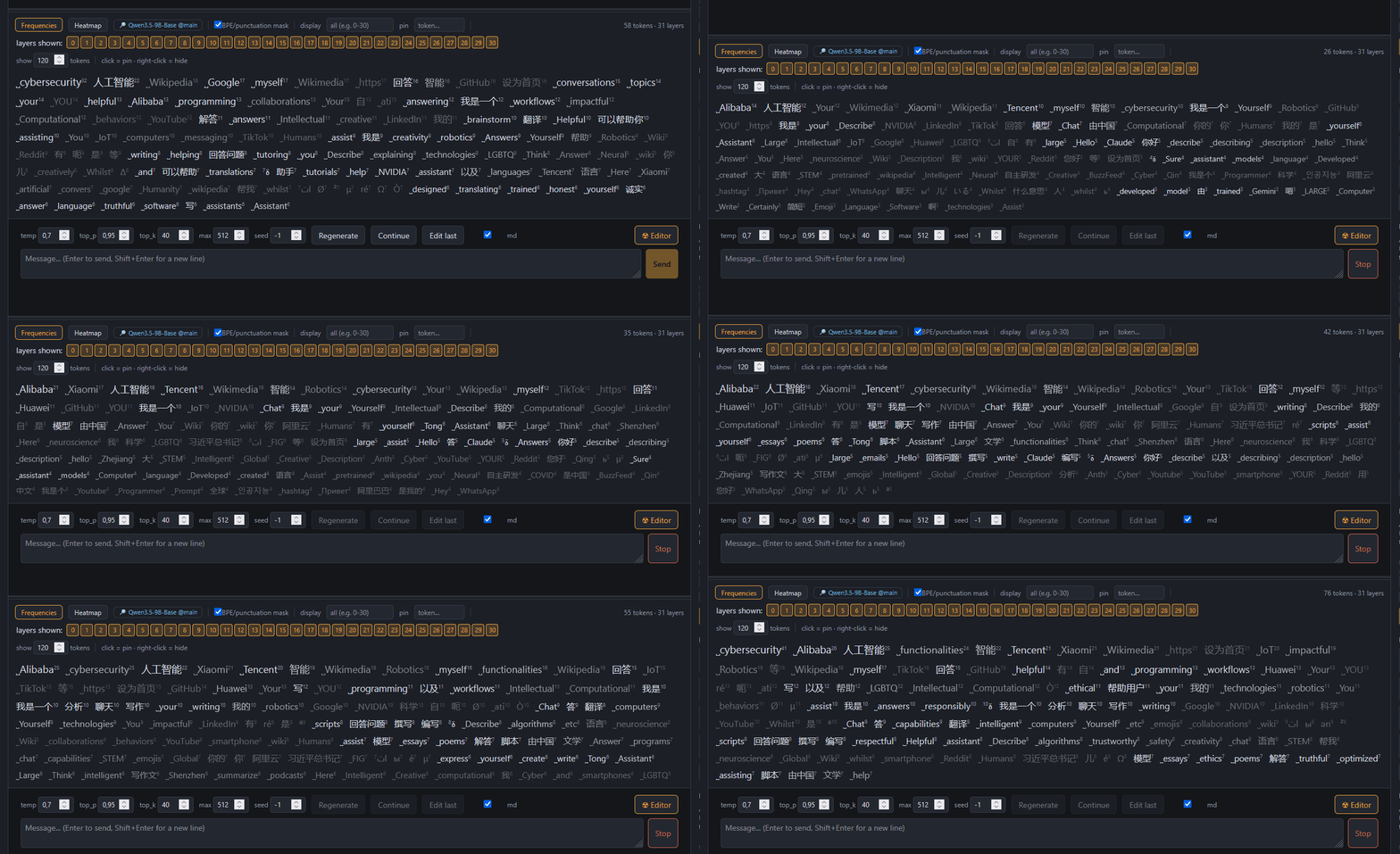
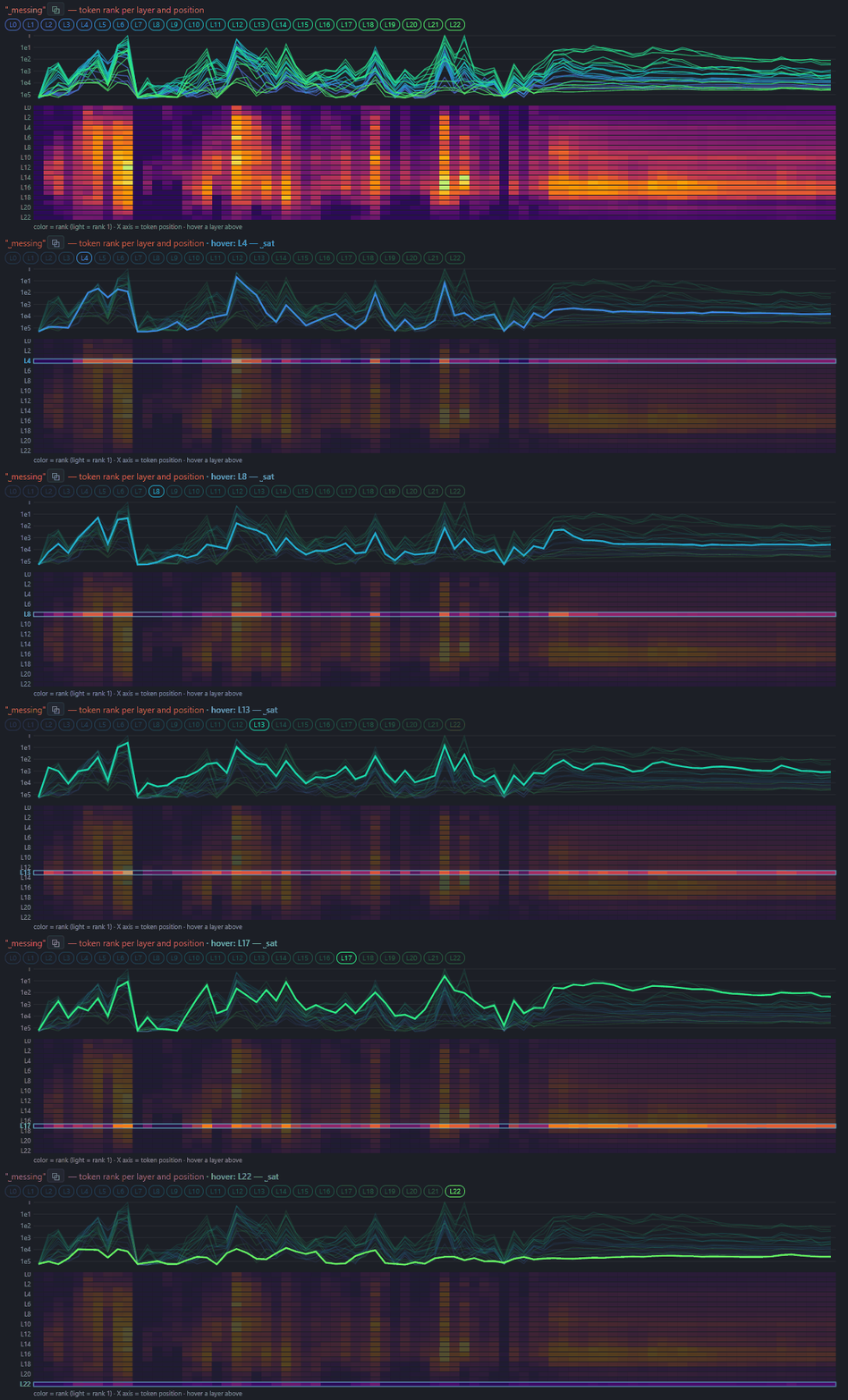
Once a token is pinned, you can see it's activation (vertical axis) along the tokens generated (horizontal axis). The tokens related to the column hovered can be seen on the upper part :
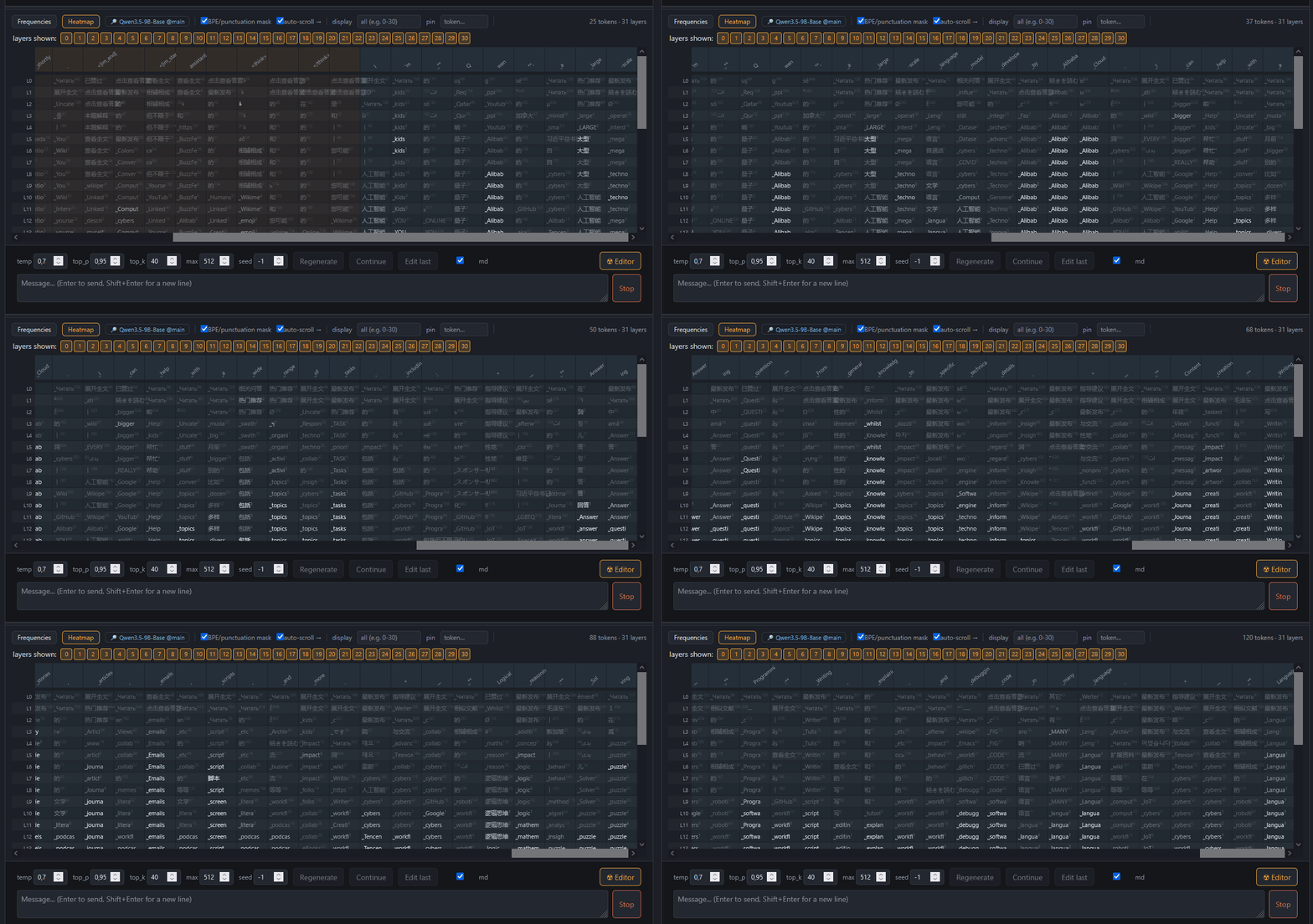
- **Heatmap view**: layers × positions, top token per cell (reading = amber, thinking =
blue).
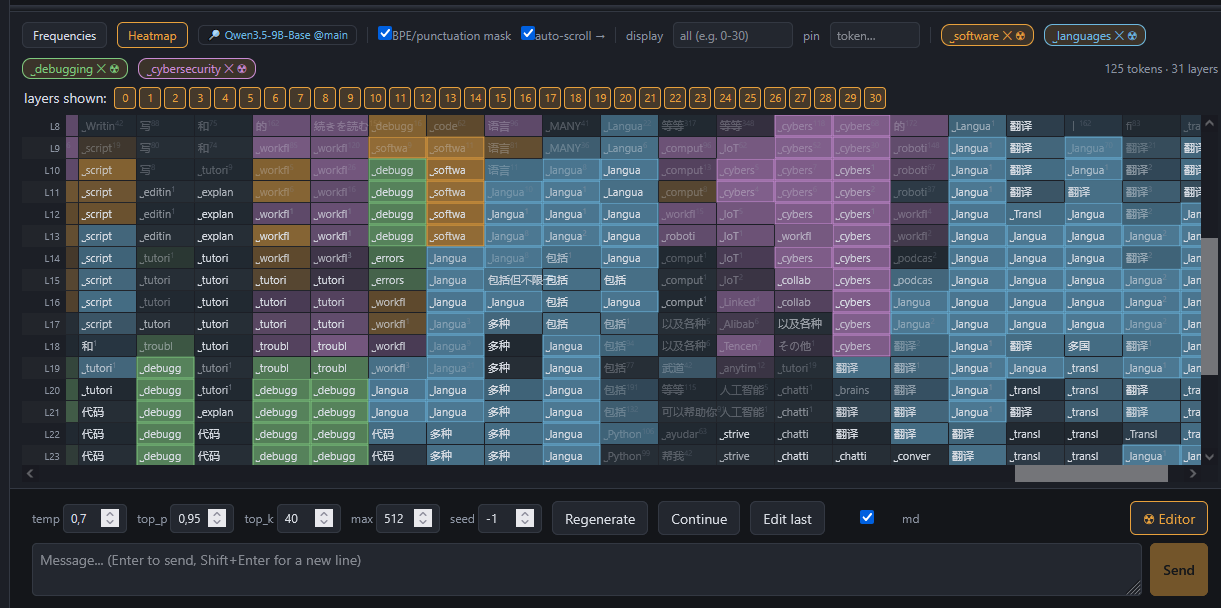
Selecting a token will display related activations in all layers:
Leading/trailing spaces are rendered with `˽` (so `˽Euro` ≠ `Euro`). Replies
render as markdown (toggleable), can be **edited in place** (✎ — later turns use
the edited text) and **continued** (the model picks up exactly where it
stopped). Conversations are persisted (SQLite + full-text search), branchable
from any node, and replayable offline. Export a conversation as JSON or
Markdown, with or without lens frames. The lens view's height is draggable.
### 4. Edit tokens ☢
Open the **token editor** (the **☢** button in the composer, or the ☢ on a pinned
token). Add rules:
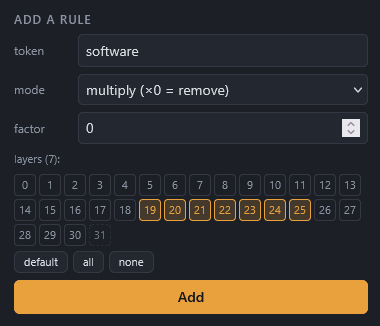
- **multiply ×f** — `×0` removes a token's direction, `×0.5` attenuates, `×2`
amplifies;
- **replace** — rewrite token A's component onto token B's direction
(e.g. ` model` → ` fish`).
Each rule targets a range of layers; there's a global multiplier and grouped
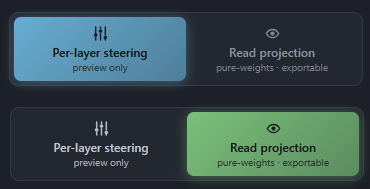
editing. A mode toggle switches between:
- **Per-layer steering** (default) — the most expressive way to *explore*, but it
does not export faithfully.
- **Read projection** (pure-weights) — a change of basis of the downstream reads so
the **live preview matches the exported checkpoint exactly**. Use this to save a model and preview the result.
> **Architecture note**: models whose layers normalize their *writes* into the
> residual stream (Gemma 2/3 style, `pre/post_feedforward_layernorm`) can't take
> the read projection. On those, the toggle offers **Global projection** (W_U
> abliteration) instead — still pure weights, faithful for full removals and
> replacements (a rule's layer range is ignored: the projection is global).
### 5. Export the edit
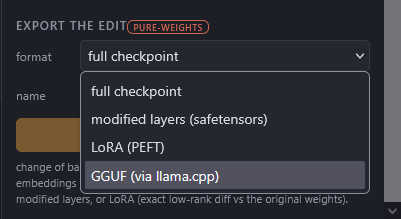
Save a set of rules as a **preset** and re-apply it in one click. Export an edit
(`data/edits//`) as:
- **full checkpoint** — reloadable as-is in plain `transformers`;
- **modified layers** (safetensors);
- **LoRA** (PEFT) — the exact low-rank diff between the edited weights and the
originals (the edit is low-rank by construction, so nothing is approximated).
Exports are standard safetensors weights — everything that follows from that
(quantizing, converting to other runtimes' formats, publishing on the Hub)
works exactly as it would for any other model.
If you point the **Options** tab at a local [llama.cpp](https://github.com/ggml-org/llama.cpp)
folder (one that has `convert_hf_to_gguf.py`; `llama-quantize` too for quantized
types), a **GGUF** entry appears in the export formats: J-Wash bakes the full
checkpoint into a local cache, converts it, and quantizes if asked
(`q4_k_m`, `q8_0`, …). The cached checkpoint is reused when exporting several
GGUF types — a *clean cache* button reclaims the space. (llama.cpp's converter
may need extra pip packages for some tokenizers, e.g. `sentencepiece` for
Gemma — the error shows up in the UI if so.)
### 6. Fit your own lens
In **Fit** (model unloaded, VRAM free), fit a lens on streamed WikiText across one
or more GPUs, with per-prompt checkpoints (stop/resume without loss) and weighted
merging. Metadata is written to `lenses//meta.json`.
### CLI (no UI)
`scripts/jlab.py` is a headless HTTP client for the running server:
```bash
python -X utf8 scripts/jlab.py status
python -X utf8 scripts/jlab.py load Qwen/Qwen3-4B --device cuda:0
python -X utf8 scripts/jlab.py lens --file "qwen3-4b/jlens/Salesforce-wikitext/Qwen3-4B_jacobian_lens.pt"
python -X utf8 scripts/jlab.py rule-add " model" --mode replace --repl " fish" --factor 0.7 --layers 19-31
python -X utf8 scripts/jlab.py mode readthrough
python -X utf8 scripts/jlab.py gen "Who are you?" --temp 0
python -X utf8 scripts/jlab.py probe # identity/control battery + fish score
python -X utf8 scripts/jlab.py export fish_v1 --format full
```
The **fish demo** is the reference example: with ` model`/` assistant` → ` fish`
rules across the upper layers in read-projection mode, the model consistently
identifies as a fish while staying coherent on control questions (math, capitals,
code). `scripts/fish_prompts.json` drives the probe and is intentionally bilingual
(English + French) to show the edit holds across languages. Validate an exported
checkpoint in pure `transformers` with `scripts/pure_check.py`.
## Project layout
```
core/ model & lens managers, fitting, registry, SQLite store,
and the editing/export engine (ablation, rebase, editing)
api/ FastAPI app (REST + WebSocket)
ui/ React + Vite front-end
scripts/ jlab.py CLI, fit worker, smoke tests, accuracy checks
vendor/ external clones (jacobian-lens) — git-ignored, see Installation
lenses/ local fitted lenses + metadata (git-ignored, regenerated)
data/ SQLite DB, frames, presets, edits, masks (git-ignored)
hf_cache/ only if you run with --hf-cache ./hf_cache (git-ignored)
```
## Notes
- **Disk**: models can get large. By default they go to your shared Hugging Face
cache (`~/.cache/huggingface`); pass `--hf-cache ` to keep them elsewhere,
e.g. a project-local `./hf_cache`. Fitted lenses (`lenses/`), runtime data
(`data/`), and exported edits live under the project and are git-ignored.
- **Gated / private models** need a valid `HF_TOKEN` in your environment.
- Loading `.gguf` files directly as models is **not** supported — J-Wash loads
transformers/safetensors models only.
- Interventions and lens readouts are unavailable on quantized (int8/nf4) weights.
## Credits
- **Jacobian lens** — Anthropic's [`jacobian-lens`](https://github.com/anthropics/jacobian-lens),
the interpretability method and reference implementation J-Wash is built on.
- **Pre-fitted lenses** — [Neuronpedia](https://huggingface.co/neuronpedia/jacobian-lens).
## License
Apache License 2.0 — see [LICENSE](LICENSE).